# Data Configuration
The Transfer Credit solution requires certain information, such as a list of majors and curricula, to be pre-loaded into the system. This data can be easily uploaded using properly formatted CSV files. The following sections provide details about creating these CSV files.
## Major Configuration
With the **Major Configuration** option, university administrators can upload and maintain the **List of Majors** and **Major’s Curricula** through CSV files.
### List of Majors
A CSV file for a list of majors must contain the following fields. Each row in this file represents one major.
* **Major Title:** Name or title of the program major.
* **College Name:** College that administers the program.
* **Duration (Years):** Number of years that the major lasts on average.
* **Term Type:** How the major’s curricula is organized, by semester, year or quarter.
* **Average Number of Credits per Term:** How many credits on average students take per term. This information allows the solution to calculate the Average Timing required to finish the major.
* **Tuition and Fees per Term (USD):** The amount of tuition in US dollars per term.
### Majors' Curricula
A CSV file for major's curricula must contain the following fields. Each row in this file represents the curricula of one major.
* **Major Title**: Name or title of the major to which the course belongs. One course must be added for each major to which it belongs.
* **Curriculum Area**: Curriculums are divided into areas that groups courses. This field defines what curriculum area to which the course belongs.
* **Department/Discipline**: Department or discipline to which the course belongs.
* **Prefix:** Course Prefix. Examples: `MATH` or `ENG`.
* **Code:** Course Code.
* **Course Title:** Course name.
* **Course Type**: Defines if the course is ***Required*** or ***Elective.***
* **Course Prerequisite**: List the title of the course prerequisites separated by a pipe. Examples: `Art & Chemistry | Art & Chemistry`.
* **Credits:** Number of credits for this course.
* **Course Description:** Description text for the course.
## Course Equivalencies
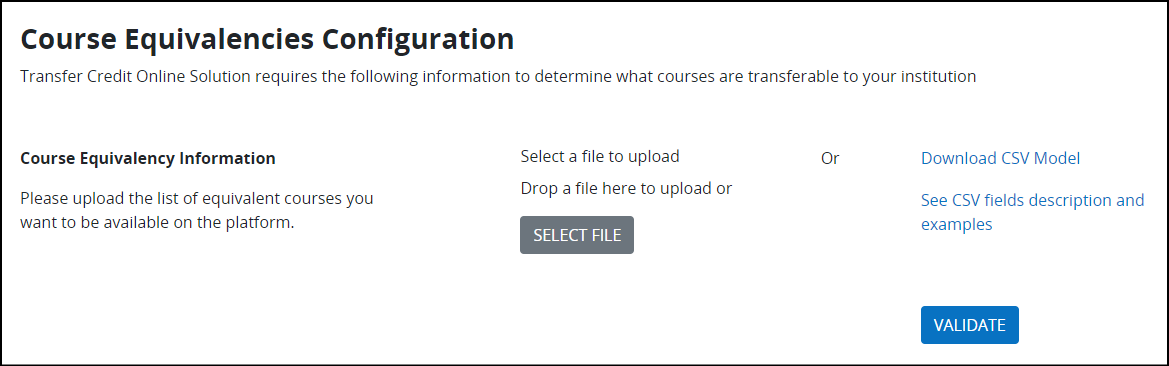
The solution generates an unofficial transfer evaluation comparing the courses extracted from the prospect transfer student with the course equivalencies of your university. With the **Course Equivalencies Configuration** option, university administrators can upload the **Course Equivalency Information** through CSV files.
{% hint style="warning" %}
Update both lists of majors and major’s curricula in the solution before updating the course equivalency information.
{% endhint %}
A CSV file for course equivalencies must contain the following fields. Each row represents a course equivalency based on your transfer policy with a specific transfer institution.
* **Transfer Institution:** Name of the transfer institution.
* **Transfer Prefix**: Course Prefix at the transfer institution. Examples: `MATH` or `ENG`.
* **Transfer Code**: Course code at the transfer institution.
* **Transfer Course Title**: Course title at the transfer institution.
* **Transfer Credits**: Number of credits granted at the transfer institution.
* **Transfer Course Description**: Course description at the transfer institution.
* **Local Prefix**: Course prefix at your institution.
* **Local Code**: Course code at your institution.